

Your old Android phone is not useless. Instead of letting it gather dust in a drawer, turn it into a dedicated smart home hub, retro gaming console, or privacy browser. Here are practical ways to upcycle an old phone and lower your personal environmental footprint.
How many devices are currently sleeping in your desk drawers? If you are like most people in Europe, you probably have two or three old smartphones gathering dust. We swap our phones every two to three years, but why?
Most of these old phones still work fine. Sure, the battery might drain a bit faster, and heavy apps might take two seconds longer to load. But does that make the whole device useless? Or are we just spoiled by constant upgrade cycles?
Let us look at the actual numbers. Manufacturing a single modern smartphone generates roughly 80 kilograms of carbon emissions. Even worse, over 80 percent of those emissions happen during the production phase, long before you even unbox the device.
Then there is the water footprint. Extracting rare earth metals and manufacturing microchips for one phone consumes over 12,000 litres of fresh water. When you throw away a functional device, you throw away all those resources too.
The global electronic waste monitor reported that we generated over 62 million tonnes of e-waste in recent years. Less than a quarter of it was properly recycled. Most old phones end up in landfills, slowly leaking heavy metals like lead and mercury into groundwater.
Keeping your old device active for another couple of years is not just practical. It is a quiet, simple choice to stop adding to that pile. Give the phone one specific job, and it will handle it without any stress.
How to reuse old Android phone – ideas & tips
Reusing an old phone – initial steps
You can apply these basic steps no matter which single task you choose for the device:
▸ Remove all applications and files that you will not need for the chosen task. A complete clean-up speeds up the system and gives you space for new files. Alternatively, reset the device to factory settings and install only the single app you plan to use.
▸ Since the phone stays at home or serves a specific goal, you do not need the usual security hassle. Disable the lock screen password to save time every time you touch the display.
▸ Place the phone near a power outlet if it stays in one room. Since the battery is likely weak, keep it plugged in or use a smart plug with a scheduled timer to recharge it automatically.
Ways to reuse old Android phone models
1. Make it a meditation and breathing station

How often do you open a relaxation app on your phone, only to see a stressful work email banner pop up across the screen?
It completely ruins the effort to calm your mind.
An isolated old device with zero messaging apps installed creates a distraction-free space for daily breathing exercises. It serves one purpose: helping you slow down.
When you sit down to meditate, you want an environment that feels quiet. A phone that cannot receive calls or chat alerts is the best tool for that routine.
What to do:
▸ Factory reset the phone and install only one or two minimalist meditation apps.
▸ Disable all system notifications, sounds, and account syncing.
▸ Keep airplane mode turned on permanently if the app works offline.
▸ Place the phone on a stand in a quiet corner of your room.
2. Make it a weather and environmental monitor

Do you know what the air quality inside your flat is right now? Most people check the weather on their primary phone, get distracted by three notifications, and close the screen.
A spare phone mounted on the wall or standing on a shelf can act as a permanent, live dashboard.
It can continuously show outdoor temperatures, rain radar, air pollution levels, and local weather alerts. You get a clear visual picture of the weather before stepping outside without touching a single button.
Instead of buying a plastic weather station that will break in two years, you repurpose existing hardware. The web widgets on Android give you far more detailed satellite maps than basic LCD stations ever could.
All you have to do is:
▸ Wipe unused apps to keep the system responsive.
▸ Install a weather app like AccuWeather or an air quality monitor like AirVisual.
▸ Disable screen auto-lock or set a long timeout while connected to power.
▸ Plug the phone into a wall outlet using a smart plug to manage daily charging.
3. Use it as an emergency microSD card reader
Many Android phones come with a built-in microSD card slot.
If you use memory cards for cameras or audio recorders, accessing those files without a PC adapter can be annoying.
Keeping an old Android phone around gives you an instant card reader to inspect or transfer files. You plug the card into the phone, and you can instantly preview images on a high-resolution display before moving them to cloud storage.
This is extremely handy when travelling without a laptop. You can check if your camera shots are sharp without waiting until you get back home.
Here is what you can do:
▸ Keep the device charged up to around 50% so it is ready when you need it.
▸ Install a lightweight file manager app like Files by Google.
▸ Insert your microSD card into the phone slot.
▸ Use Google Drive or Syncthing to transfer the files wirelessly to your computer.
4. Turn it into a bedside clock
Do you ever wake up at night and fumble around trying to find your main phone? Half-asleep, you usually realize you left it charging in the kitchen or living room.
An old phone resting on a nightstand solves this easily. It stays in one place and acts as a permanent night clock, alarm, or morning radio station.
Because the screen is dedicated to time, you see what you need instantly without grabbing your main device. OLED screens on older Androids are brilliant for this because black pixels stay completely off, so the screen does not blind you in the dark.
It also prevents late-night social media scrolling. If your primary phone charges in another room, you will not waste an hour reading news feeds when you should be sleeping.
Things to do:
▸ Remove the lock screen password so the display turns on with a simple tap.
▸ Adjust the display settings or install a night clock app to show large digits and weather widgets.
▸ Enable Google Assistant to ask for the time or set an alarm using only your voice.
▸ Keep the phone connected to a charger so it never dies overnight.
5. Turn it into a retro gaming console
Do you really need to buy a separate handheld console to play classic games from the 1990s?
Old mobile processors struggle with heavy modern titles, but 8-bit and 16-bit retro console emulators run without any lag.
It gives a second life to hardware that would otherwise end up in a rubbish bin. The screens on five-year-old Android phones are miles ahead of cheap Chinese retro handhelds in terms of contrast and color accuracy.
By pairing a small Bluetooth controller, you transform a forgotten phone into a pocket-sized arcade machine. You can carry thousands of classic titles on a tiny card.
What to do:
▸ Install an emulator front-end like RetroArch or standalone apps for classic consoles.
▸ Pair a cheap wireless Bluetooth gamepad to avoid using touch controls.
▸ Load your legal game ROM files onto internal storage or a microSD card.
▸ Turn off Wi-Fi and background syncing to save battery power while playing.
6. Turn it into an audiobook or podcast player

Listening to audiobooks on your main phone is often frustrating because incoming calls and messaging alerts constantly pause the narration.
It breaks your focus and ruins the story.
Dedicate an old device purely to listening, and you can enjoy uninterrupted audiobooks anywhere in the house. You can leave it on your bedside table or next to your armchair in the living room.
Because it does not run background tracking services, the battery lasts through hours of continuous playback. You can finally finish a chapter without a work message interrupting the narrator.
All you have to do is:
▸ Install your preferred listening app, such as Smart AudioBook Player or Audible.
▸ Download your audiobooks directly over Wi-Fi so they play completely offline.
▸ Connect a small Bluetooth speaker or plug in wired headphones.
▸ Keep the phone on a dedicated shelf near your favourite reading chair.
7. Make it a drone controller display

Many controllers for camera drones usually rely on a smartphone display to show the live video feed.
Using your main phone for this drains its battery quickly and exposes its expensive camera lenses to strong outdoor sunlight and vibrations.
A dedicated spare phone mounted on the controller or placed on a table makes far more sense. Dedicated drone setups mean you never get interrupted by incoming phone calls while hovering over a river or a forest.
Older high-end Android phones often have bright displays that handle glare well. You can strip the operating system down so the processor spends all its energy rendering the live video feed smoothly.
All you have to do is:
▸ Check if your drone control app runs smoothly on your old Android OS version.
▸ Clear all other apps to ensure the drone live feed gets full processor performance.
▸ Mount the device securely onto the controller holder.
▸ Bring a small power bank along, as live video streaming drains old batteries fast.
8. Make it an in-car navigation screen
Why drain your main phone battery and expose its camera hardware to high dashboard heat every time you drive?
An old smartphone mounted near the windscreen serves as a fixed navigation screen.
You can keep map data downloaded locally so you never get lost even in areas with zero mobile signal. Continuous sun exposure and engine vibration ruin optical image stabilization on expensive new phones, so keeping a spare phone on the mount protects your primary device.
You jump into the car, and the maps are already there waiting for you. There is no need to plug and unplug your main phone every time you run a quick errand.
All you have to do is:
▸ Install an offline map tool like Organic Maps or download offline areas in Google Maps.
▸ Mount the phone securely using a sturdy car dashboard holder.
▸ Keep a charging cable plugged into the car USB port.
▸ Set up Bluetooth so voice guidance plays through the car speakers automatically.
9. Make it a home security monitor

Purchasing specialized smart security monitors can get expensive.
Instead, an old smartphone can act as a permanent viewer for your home security cameras.
Left on a desk, it gives you a quick live view of your front door or garden without hogging your main phone screen. You do not have to minimize your work applications just to see who rang the doorbell.
It sits quietly under your main computer monitor, keeping an eye on camera feeds. You turn a redundant screen into a desktop security monitor for free.
Things to do:
▸ Install the viewer app for your home security cameras or IP camera setup.
▸ Clear away all other non-essential applications.
▸ Disable the screen lock password for instant access.
▸ Keep the device permanently connected to a wall socket.
10. Use it for a privacy-first browsing
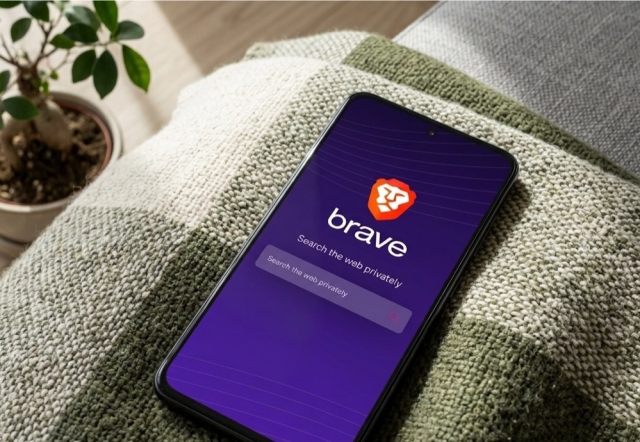
Do you trust your primary phone when searching for sensitive health questions or personal financial topics?
Your main device is tied to your primary accounts, meaning trackers constantly build a commercial profile on you.
A spare phone stripped of all accounts works as an isolated research device. Since you never log into social networks or email on this hardware, ad networks cannot link your queries to your real identity.
It creates a clean digital room inside your home. You can look up whatever you need without seeing targeted ads for it on every web page for the next month.
All you have to do is:
▸ Reset the phone completely and avoid signing into any Google or social media accounts.
▸ Install privacy-focused browsers like DuckDuckGo, Brave, or Firefox Focus.
▸ Enable strict tracking protection and ad blocking in the browser settings.
▸ Set the browser to clear all cookies and history automatically upon closing.
11. Use it as a kitchen radio
A kitchen is a great place to reuse old smartphone hardware.
Instead of cluttering the counter with extra appliances, a phone can stream web radio stations or podcasts while you cook.
Giving it a single job keeps the operating system fast and simple to control. You do not need to worry about dirty fingers smudging your primary expensive device while chopping vegetables.
Mounted safely on a wall or tile surface, it stays out of the way of flour, water, and hot pans. It turns morning cooking routines into a much smoother experience.
How to do it:
▸ Install a radio streaming application like TuneIn.
▸ Place the phone on a small stand away from water or cooking splatters.
▸ Connect it to a small external speaker for better sound quality.
▸ Use Google Assistant voice commands to start or stop playback hands-free.
12. Make it your smart home hub
Managing smart bulbs, plugs, and thermostats from a main phone means only you can control them easily.
If family members or guests want to adjust the lights, they need access too.
A spare phone placed in a central hallway acts as a shared control panel for everyone in the house. Anyone can change the room temperature or turn off the living room lights without asking for your phone password.
It removes the friction of smart home tech. Instead of searching for an app on a cluttered personal screen, the controls sit permanently on the wall.
All you have to do is:
▸ Install your smart home control apps, such as Google Home.
▸ Remove all personal messaging, email, and social apps from the device.
▸ Mount the phone on a wall or place it on a central table stand.
▸ Keep the phone plugged in so the control panel is always active.
13. Use it as a secondary travel phone
Taking an expensive primary phone on extreme hiking trips or into crowded tourist areas carries a constant risk of theft, loss, or damage.
Why risk your main device when a spare phone handles calls, local SIM cards, and messaging just fine? A secondary travel phone gives you peace of mind during outdoor activities or dangerous trips.
If you drop it on a rocky mountain trail or lose it in a busy market, you lose a piece of hardware worth very little, rather than your main digital life.
It also lets you buy cheap local SIM cards with prepaid mobile data without taking out your main home SIM card.
All you have to do is:
▸ Ensure the phone is network-unlocked so it accepts local prepaid SIM cards.
▸ Remove sensitive banking apps and private documents to keep your data safe if stolen.
▸ Set a strong lock screen password or PIN code.
▸ Pack the phone in a simple zip bag or padded pouch to protect it from rain and drops.
14. Make it a backup TV remote controller

Physical TV remotes frequently get lost between sofa cushions or run out of batteries at the worst time.
An old Android phone connected to your home Wi-Fi makes a reliable backup remote for smart TVs, Android TV boxes, and media streamers.
You never have to hunt for plastic remotes again when your spare screen rests on the coffee table. Touchscreen remotes also give you a full virtual keyboard, making typing movie titles into search bars ten times faster than using a directional pad on a plastic remote.
It is a simple upgrade for media rooms that costs zero extra money.
All you have to do:
▸ Install universal remote apps or official apps like Google TV.
▸ Connect the phone to the same local Wi-Fi network as your television or streaming device.
▸ Remove the lock screen password so anyone on the couch can grab and use it.
▸ Keep a charging cable near the sofa to top up the battery occasionally.
15. Turn it into an emergency phone
Did you know that mobile phones can dial emergency services even without an active SIM card or mobile plan?
As long as the device can connect to any nearby cellular tower, it can place an emergency call.
Keeping a charged spare phone in your car glove box or emergency kit provides a life-saving backup during critical situations. If your main phone breaks during an accident or runs out of power, this backup device can still reach help.
It is a basic safety measure that costs nothing to set up but can make a massive difference in an actual emergency.
All you can do:
▸ Perform a full reset and keep the system clean of unnecessary battery-draining apps.
▸ Charge the battery to around 50% and turn the device completely off.
▸ Store it in a dry place with an emergency charging cable.
▸ Check the device every few months to top up the battery power.
16. Use it as a retro MP3 music player
Streaming music services consume constant data and battery power, and offline playback on main devices fills up storage space quickly.
You can turn an old Android phone into a dedicated digital music player filled entirely with your local music files.
It brings back the simplicity of classic MP3 players without social media interruptions or monthly streaming fees. You load your favorite albums onto an SD card and listen without worrying about mobile network coverage.
Because it stays in airplane mode, the battery life is surprisingly long, making it brilliant for long walks or quiet afternoons.
Things to do:
▸ Install a clean, lightweight local music player like Musicolet or Foobar2000.
▸ Load your audio file collection onto the internal storage or a microSD card.
▸ Turn on airplane mode to block all wireless battery drain and notifications.
▸ Plug in your favourite wired headphones using the 3.5 mm jack or connect via Bluetooth.
17. Make it a refrigerator memo board
Paper sticky notes fall off the fridge, get lost, or clutter up the kitchen door over time.
An old Android phone attached to the refrigerator can act as a digital memo board for shopping lists, family notes, and reminders.
It keeps the kitchen organised and ensures everyone sees important updates in one fixed location. Since it syncs over Wi-Fi, you can add an item to the list from your office, and it instantly shows up on the kitchen screen for whoever is heading to the supermarket.
It replaces scraps of paper with a clean, readable digital display.
All you have to do is:
▸ Install a simple, syncable note app like Google Keep or a dedicated kitchen list widget.
▸ Use a magnetic phone case or magnetic mounting plate to attach the device securely to the fridge door.
▸ Disable the lock screen password so family members can tap the screen to view or add notes.
▸ Set up Google Assistant so you can add items to your shopping list using your voice.
18. Turn it into a wireless trackpad
If you connect your laptop or PC to a TV screen, standing up every time you need to move the mouse pointer is annoying.
An old Android phone can connect to your computer via Wi-Fi or Bluetooth to act as a wireless touch trackpad and keyboard.
It turns your spare screen into a comfortable desktop controller you can use from the couch. You get full multi-touch gestures, media controls, and a keyboard without carrying a bulky wireless keyboard on your lap.
It makes controlling home media PCs seamless and comfortable.
How to do it:
▸ Install a trackpad server app on your PC and the corresponding client app (such as Unified Remote) on your phone.
▸ Connect both devices to the same local Wi-Fi network.
▸ Keep the phone on your coffee table for quick media playback control.
▸ Disable screen timeout inside the trackpad app while in use.
19. Use is as an offline map

Using your main phone for GPS tracking during long bicycle rides or forest hikes drains the battery fast and risks damaging the screen if you fall.
An old Android phone can serve as an off-grid navigation computer mounted on your handlebars or packed in a backpack pocket.
With pre-downloaded trail maps, you get full route guidance without risking your main communication device. Dedicated outdoor navigation apps on Android give you topographic contours and trail details that standard Google Maps lacks.
If rain or mud ruins the screen mount on your handlebars, your primary phone stays completely safe inside a dry bag.
All you have to do is:
▸ Install offline GPS mapping tools like OsmAnd or Locus Map.
▸ Download full regional map packages over home Wi-Fi before heading out.
▸ Turn off mobile data and Bluetooth to maximize battery life during long outdoor trips.
▸ Mount the phone on a bicycle handlebar bracket or keep it in an outer pocket.
How to reuse an old phone – conclusions
So, what are we really doing when we toss a working smartphone into a drawer or a recycling bin? We throw away a working display, a functional processor, and usable hardware just because it got a bit slow.
Replacing a degraded battery instead of buying a new phone saves over 12,000 litres of fresh water. Is a slightly faster device really worth that environmental footprint?
Giving a single, quiet job to an old device is often much more practical than buying a new gadget. It keeps electronic waste out of landfills and keeps functional tools working for years.
Tips for storing an old Android phone
Charge it to 50 percent before putting it in a drawer. Never store a phone with a completely full or completely empty battery. Lithium-ion batteries degrade much faster when stored at 100 percent, and they can enter a deep discharge state if left at zero. Half-full is the safest state for long storage.
Shut down the operating system completely. Simply tapping the power button puts the phone to sleep, but background processes will slowly drain the power to zero in two weeks. Hold down the power button and choose a full shutdown.
Take the phone out of storage twice a year. Batteries lose charge slowly over time on their own. Every six months, turn on the phone, check the percentage, and charge it back to 50 percent.
Remove thick protective cases and cables. Tight cases can trap residual moisture or put continuous pressure on volume buttons. Unplug charging cables so ports do not bend or gather dust inside drawers.
Keep the phone at room temperature in a dry place. Basements, garages, or hot attics are bad locations due to high humidity and temperature changes. A dry bedroom cabinet works much better.


Leave a Reply