
Tag: Amazon Fire
-

How to add own ebooks to Amazon Fire
Here is a quick overview of the most reliable ways to add own ebook files to your Amazon Fire tablet. Which one is your favorite? Please remember that your sideloaded books are available on the Fire tablet in a Docs app, not Kindle Books app. To access sideloaded ebooks on the Fire tablet: 4 ways…
-
Switching from Kindle to Fire? One thing will highly disappoint you
On a Fire tablet, managing side-loaded ebooks is annoyingly difficult. They are not being handled by the Kindle book app. Starting point Fire tablets and Kindle e-readers are both powered by Amazon and many users expect to see similar – if not the same – features. Background Amazon lets you add and manage sideloaded books…
-

One Amazon Fire HD 8 feature I’d like to see in the iPad
Amazon Fire HD 8 tablet released in June 2020 comes with one feature that dramatically changes the way you use it. It’s surprising that other tablet producers haven’t introduced it yet. I’d love to see it introduced in the iPad. It’s not technologically complicated, but will make using the tablet way more convenient. Amazon Fire…
-

Amazon Fire or Apple iPad? Don't compare specs, compare platforms
Every time a new tablet model is released, many users start looking for side-by-side charts that would help them compare full tech specs. It’s the wrong attitude. Comparing tech specifications should be the last step of the decision process. The first thing you should do is find out which tablet (and – what’s most important…
-
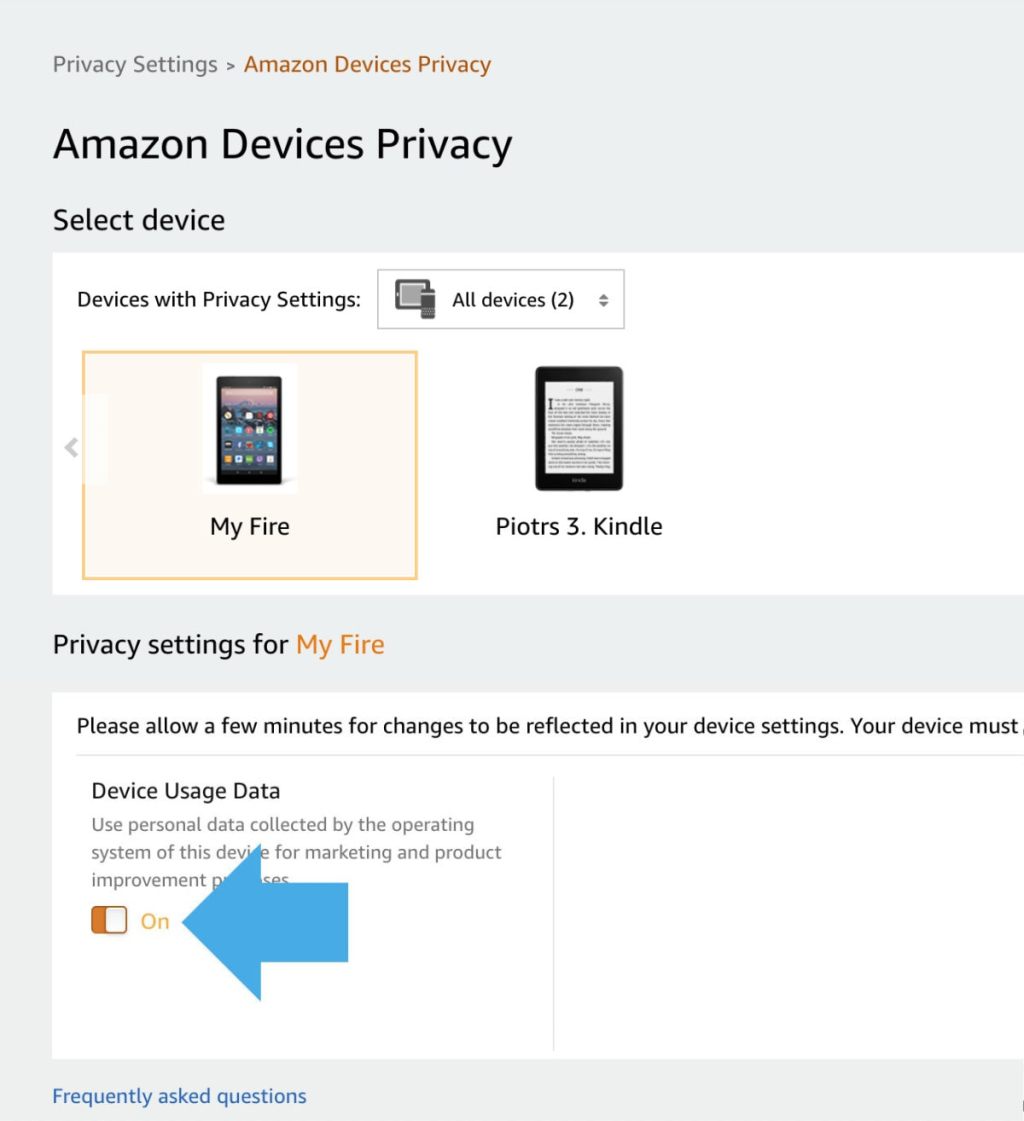
Amazon Fire: change this option to disable collecting your private data for marketing purposes
1. Go to Amazon website » Account » Your Content and Devices » Privacy Settings » Amazon Devices Privacy. 2. Select the Fire tablet you want to manage. 3. Toggle Device Usage Data button at the bottom. If you are concerned about Amazon collecting and processing your sensitive personal data, you can limit this access…
-

Buy a Fire tablet without linking to your Amazon account
1. When buying the Fire on Amazon website, check the box This is a gift. 2. Leave the rest of shipping details unchanged.3. Make sure you have selected your own shipping address. Amazon devices are usually shipped registered with the credentials of the buyer. This way, you can start using your new Fire or Echo…
-
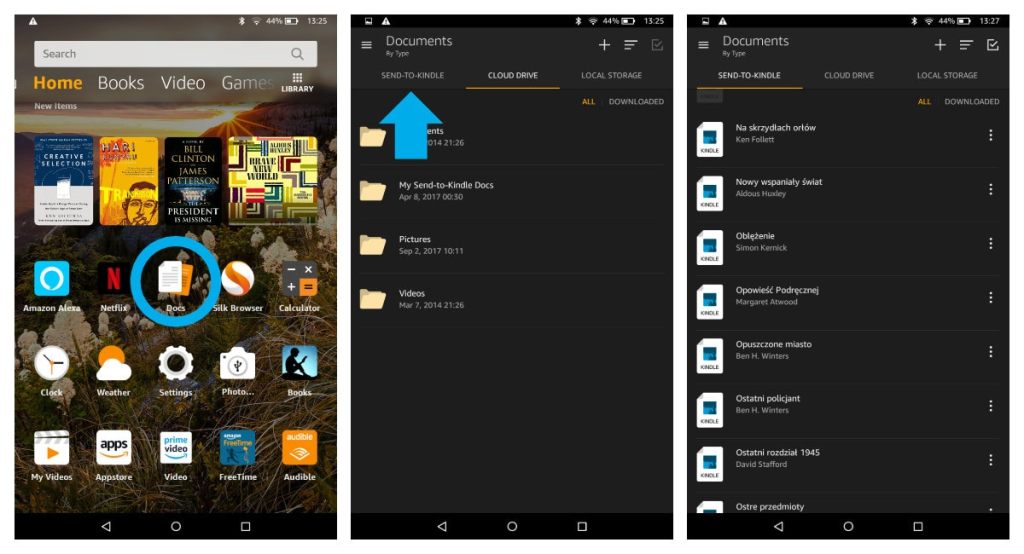
Where are my own books on Amazon Fire tablet?
1. Your sideloaded books are not in the Kindle app. 2. Go to Docs app, and then select Send-to-Kindle option. Background Amazon lets you add your own books to the Kindle or Kindle app by providing a dedicated email that you can send the files to. You can find this email address by going to…
 Geek Updated