
Tag: iPhone
-

The best heavy-duty iPad and iPhone cases and accessories in 2024
These iPad and iPhone compatible cases and accessories were tested to survive military-defined conditions.
-

10 best digital planner apps for iPad and iPhone to use in 2023-24
Plan your daily tasks and big goals with these versatile, powerful digital planner apps compatible with iPad and iPhone.
-

Unique composition notebook iPad and iPhone cases and sleeves
Are you looking for a way to turn your iPad or iPhone into a legendary composition notebook? Check out these dedicated designs.
-

Several iPad-ready power banks are on sale right now
Each of these battery packs, including Baseus and Anker, will charge your iPad more than once. Their prices are down by up to 25%.
-

X (Twitter) timeline fix: how to quickly see the tweets of users you follow
When you open a Twitter app, tap “Following” section in the top bar or simply swipe left – even if you don’t see the top bar.
-

10 best iPhone Continuity Camera mounts, stands, and alternatives in 2023
Are you planning to make the most of the newest Continuity Camera feature that lets you use your iPhone as a Mac webcam? Here are the best mounts, and a few alternative solutions.
-

iPhone Continuity Camera – things to know and confusions to clarify
Start using your iPhone as your Mac’s webcam – here are the key things to know and facts to clarify about iPhone Continuity Camera feature.
-
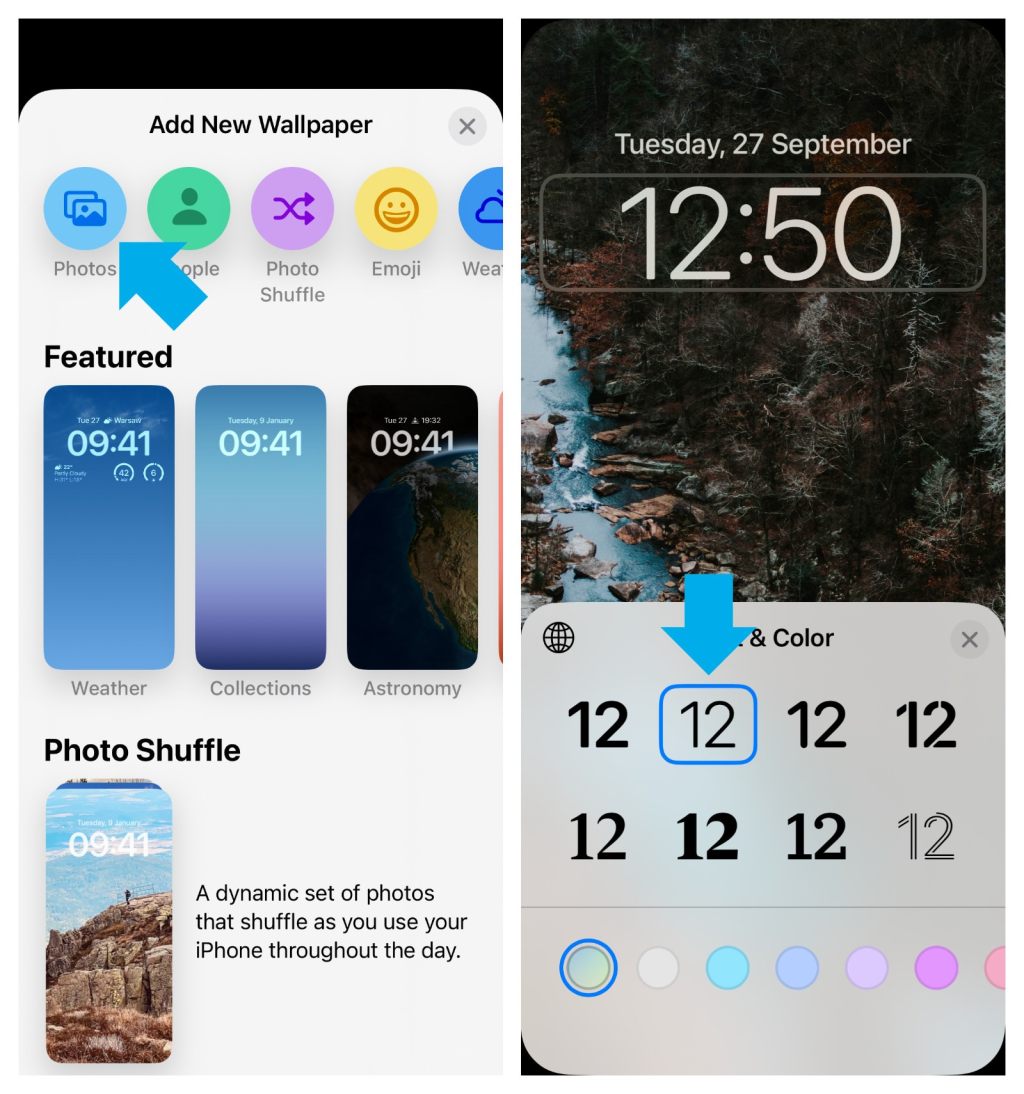
Can’t change the clock font in iOS 16? Here is a quick fix
∙ If you have used a custom image on the Lock Screen on your iPhone, you may not be able to immediately change the clock style in iOS 16. ∙ You will need to add a new Lock Screen and re-upload the custom image.
-

How to read bionic books on iPad and iPhone
Bionic books are just regular ebook files with a special formatting. You can read them right now with any book-reading app on your iPad and iPhone.
-
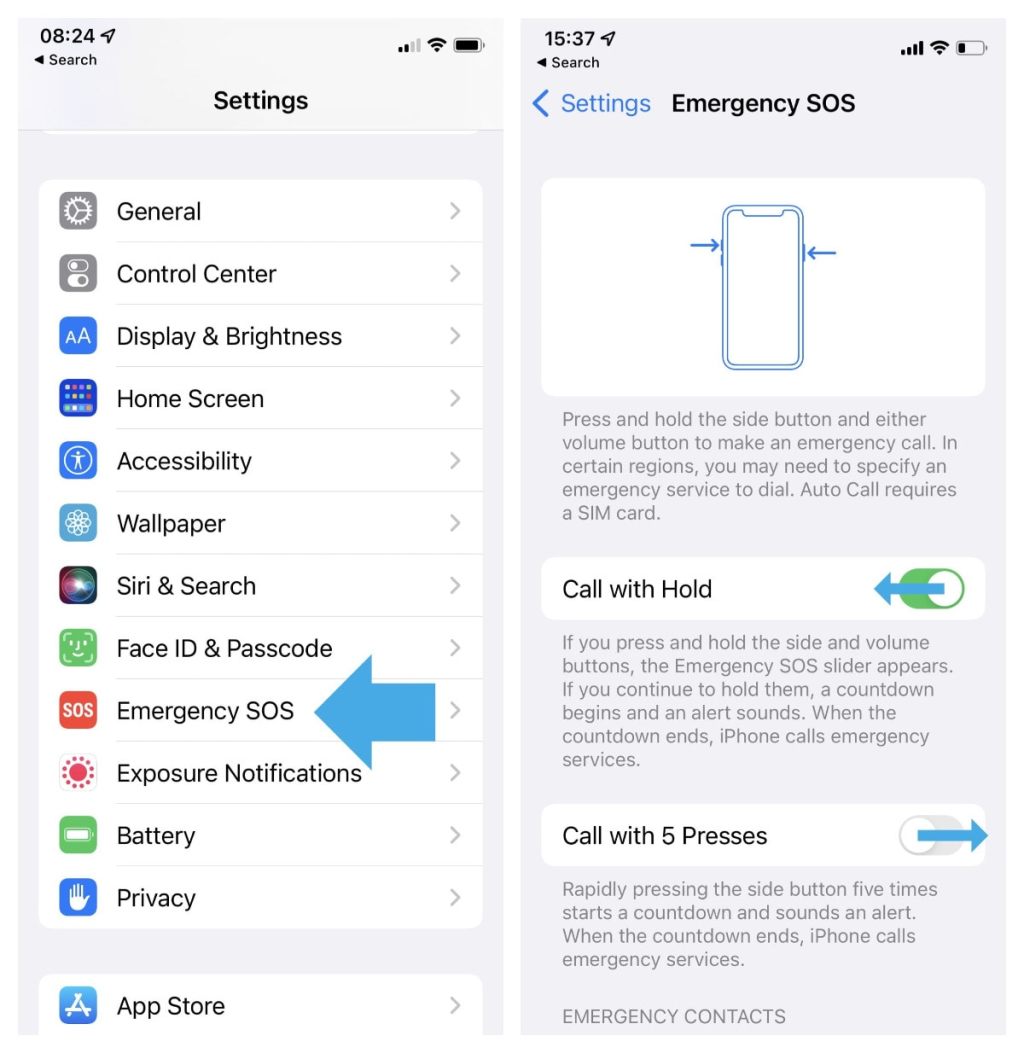
Why you should not deactivate emergency calling on your iPhone
∙ Emergency SOS calling is enabled on an iPhone by default. ∙ Many users trigger it accidentally. ∙ Instead of deactivating this feature, use a less confusing option.
-
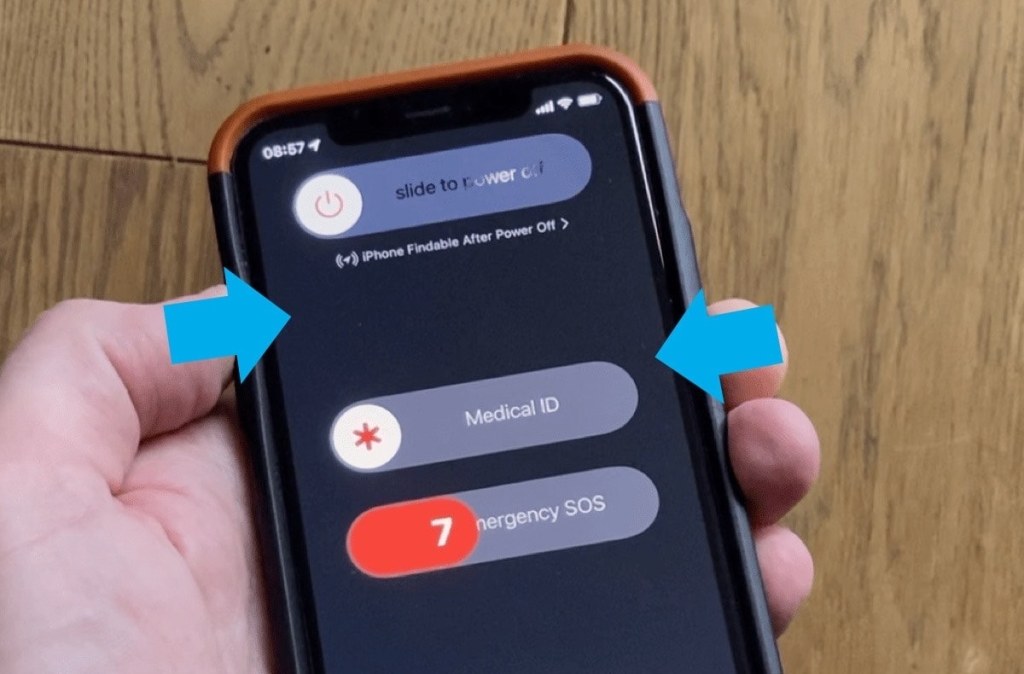
How to call an emergency number if your iPhone’s display is broken
∙ Hold the side button and the top volume button. Keep holding until you hear a countdown sound. ∙ When the countdown ends, your iPhone will dial the phone number set as an emergency contact.
-

Weather widget on iPad – how to change location
• There is no native Weather app for iPad, so there is no way to add multiple locations to check weather. • You can easily change the location displayed in the widget.
 Geek Updated