
Tag: How-to
-
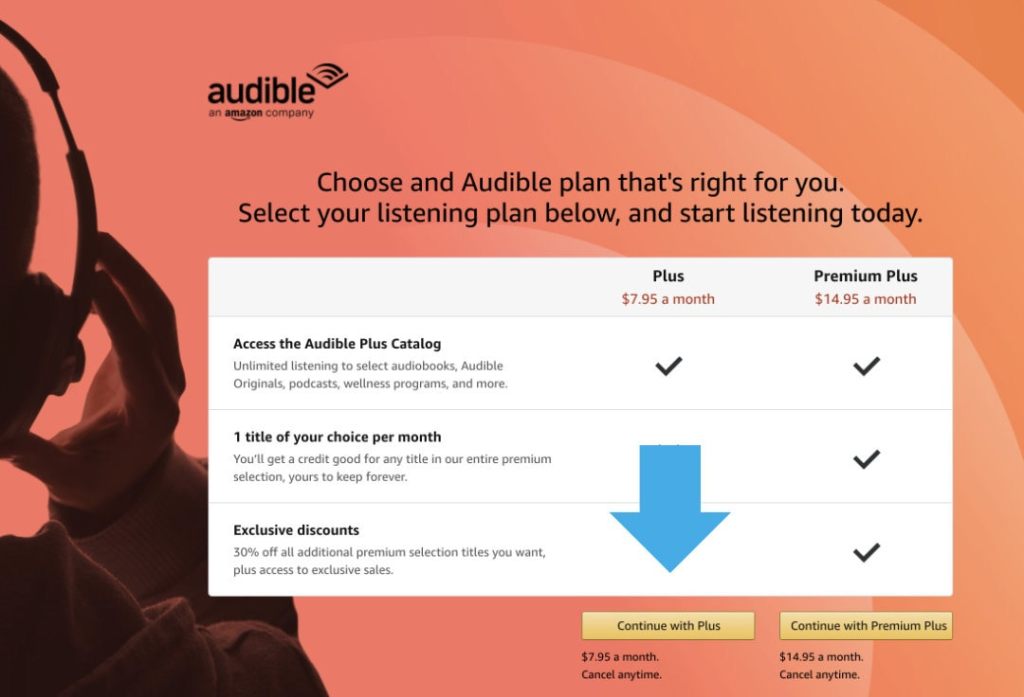
Want to try Audible Plus? You can subscribe directly on Amazon
1. Go to Audible membership sign-up page on Amazon. 2. Find “Plus” in the audiobook plan picker and click on “Continue with Plus” button. 3. You can use the service for 30 days free of charge and cancel anytime. Audible Plus is a new subscription offered by Audible audiobook platform since the end of August…
-

Twitter: how to show a bold font in a tweet screenshot
1. Find the tweet you want to share. 2. Copy the text you want in bold and paste it into a search box. 3. Find the tweet on a list of results, open it, and make a screenshot. Problem So far, Twitter doesn’t offer an option to use bold or italic text in tweets. Some…
-
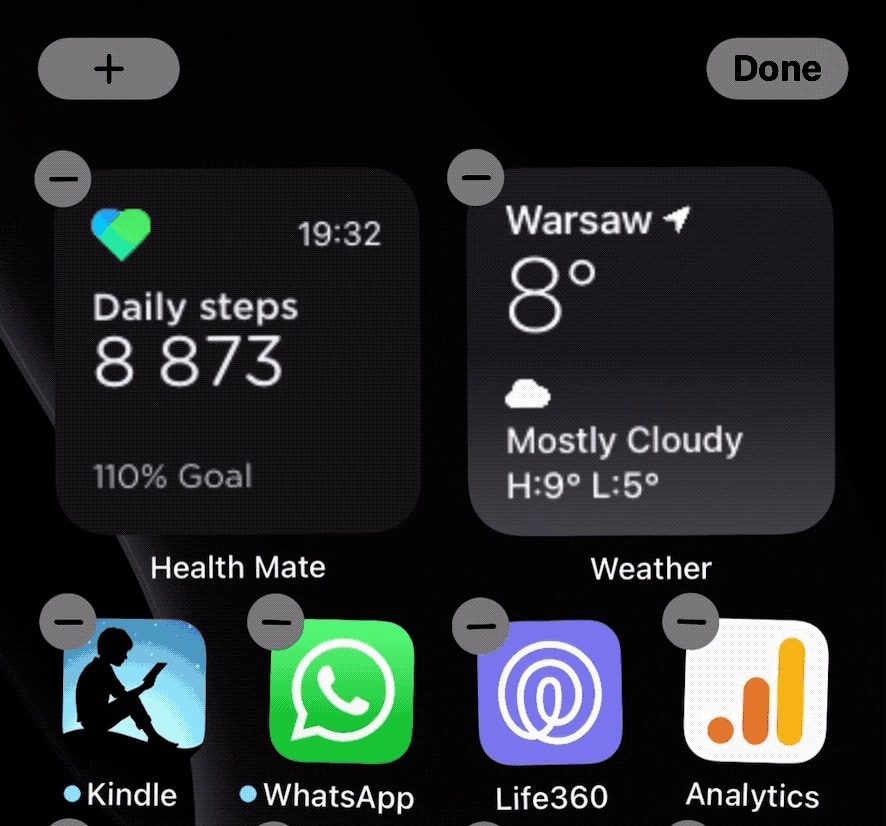
How to fix the blinking Health Mate iOS widget
1. Open the Health Mate app and wait until all connected devices are synced. 2. If that doesn’t fix the problem, force close the app, open it again, and wait for sync to complete. The latest update to Withings Health Mate app (version 5.2) comes with improved Insights and Help Center, but the most important…
-

How to stop irritating iCloud backup fail notifications on your iPhone or iPad
Go to Settings » Apple ID » iCloud, and then find “iCloud Backup” on the list and turn it off. iCloud backup notifications – the problem When you are setting up your new iPhone or iPad, among many messages and alerts that pop up is the one asking whether you want automatic iCloud backups. Anyone…
-
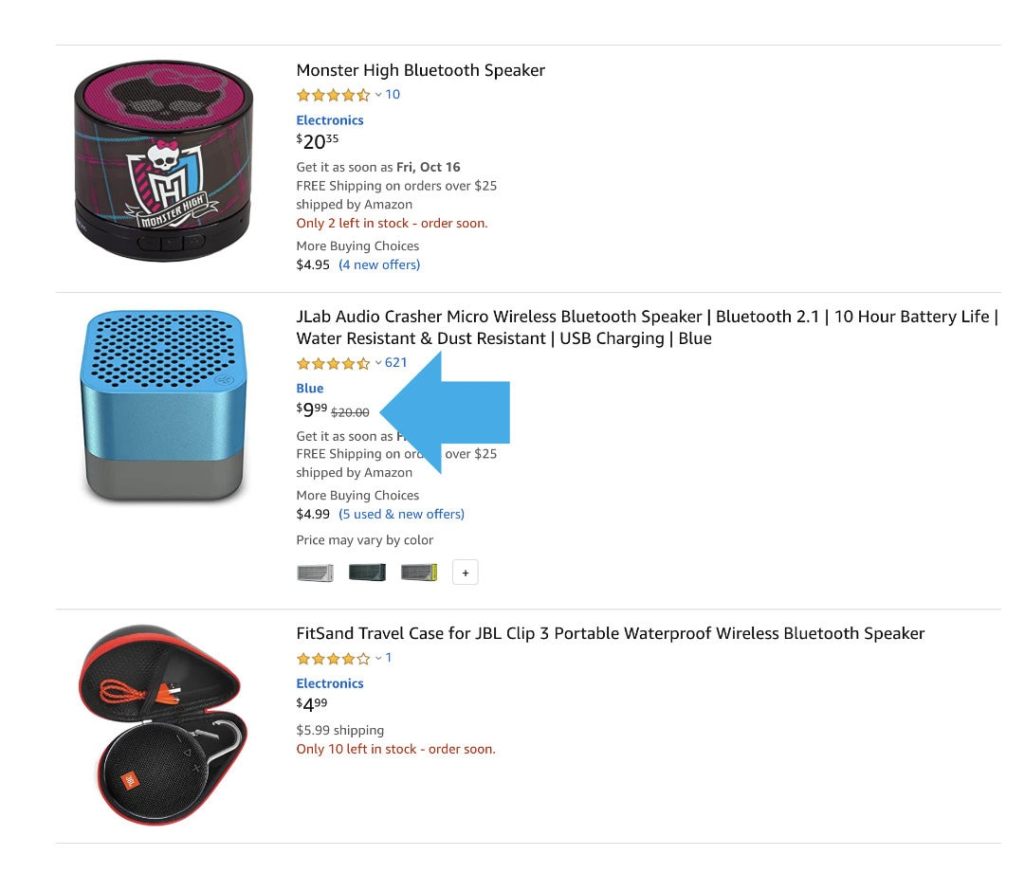
How to find non-Prime deals during Prime Day
1. Go to Amazon and type in the search box the product you want to buy. 2. Sort results by Price: Low to High. 3. Look for products with reduced prices that don’t have a label “Prime Day Deal”. 4. Additionally, filter results by average review to see only the best products. Problem During Prime…
-
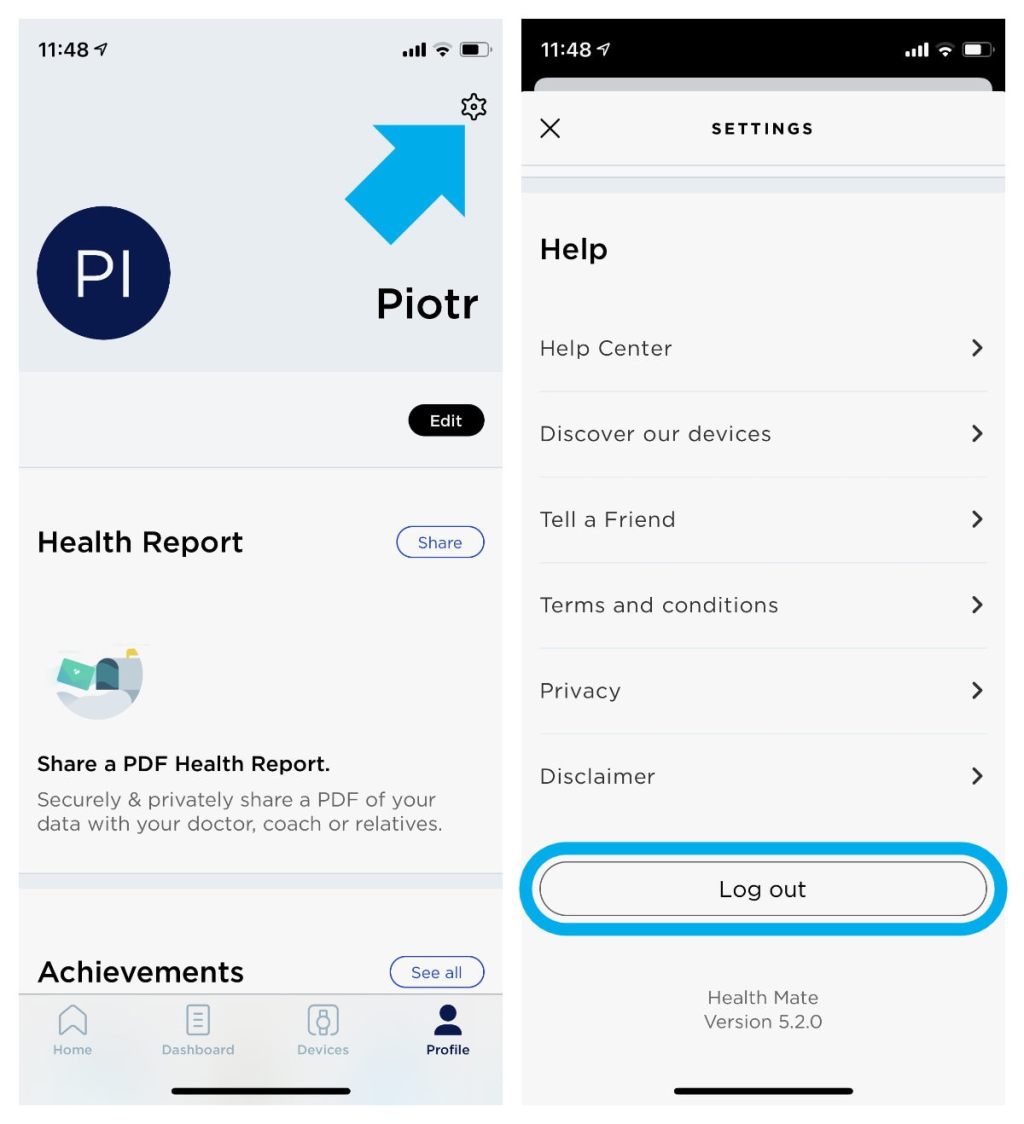
Your Health Mate iOS app keeps quitting? Here is how to reset it properly
1. Open Health Mate app and log out of your account. 2. Delete the app from your iPhone. 3. Reboot the iPhone. 4. Download the app from the App Store and log in again to your account. The more devices you connect to your Health Mate iPhone app, the bigger the risk the app will…
-
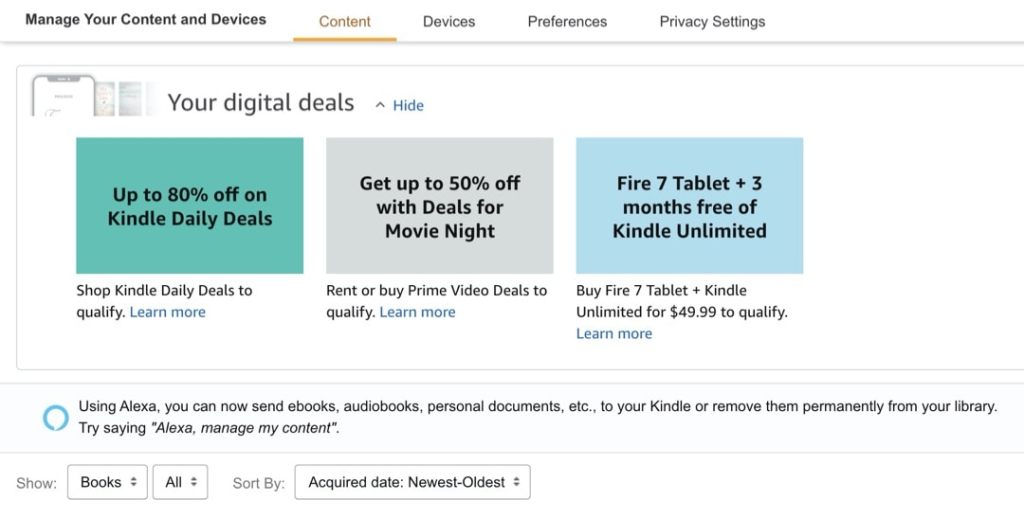
How to check Kindle deals that are personalized for you
1. Visit Amazon website and login with your credentials. 2. Go to Account & Lists » Your Content and Devices. Since 2020, logged-in Amazon customers can see deals on Amazon devices and subscriptions directly in their account dashboard. They are displayed at the top of “Manage Your Content and Devices” section. What are the benefits…
-

How to enable automatic backups on your iPhone without upgrading iCloud storage
1. Not all your apps have to be backed up by Apple. 2. Remove less important apps from a backup list and enable iCloud backup. How iCloud backup works Your apps are saved in the Apple’s cloud, so that you can access them if you lose your device or replace with a new one. What…
-

Use Chrome’s Reader Mode to remove website distractions
1. Google Chrome browser comes with a handy feature that cleans websites from sidebars and ads.2. You can enable Reader Mode by clicking on an icon in an Omnibox. Background For a long time, the Reader Mode was an experimental Chrome feature that users could activate by going to Chrome flags. Right now all users…
-
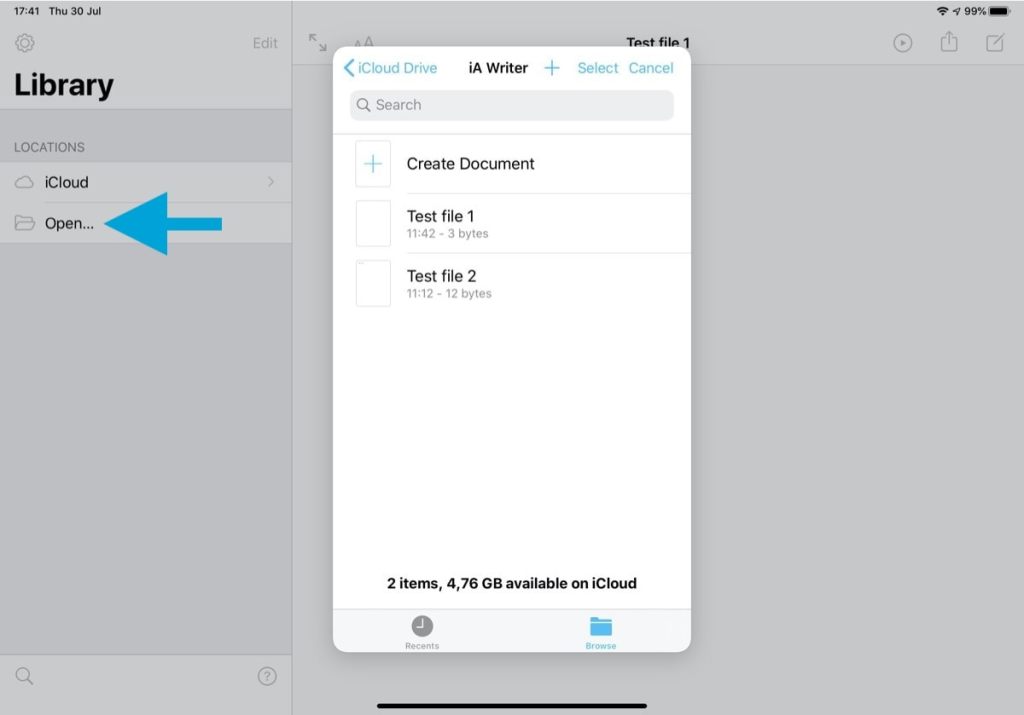
How to force sync iA Writer with iCloud (tested)
In the Library view, use “Open…” option to load a built-in file manager powered by iCloud.
-
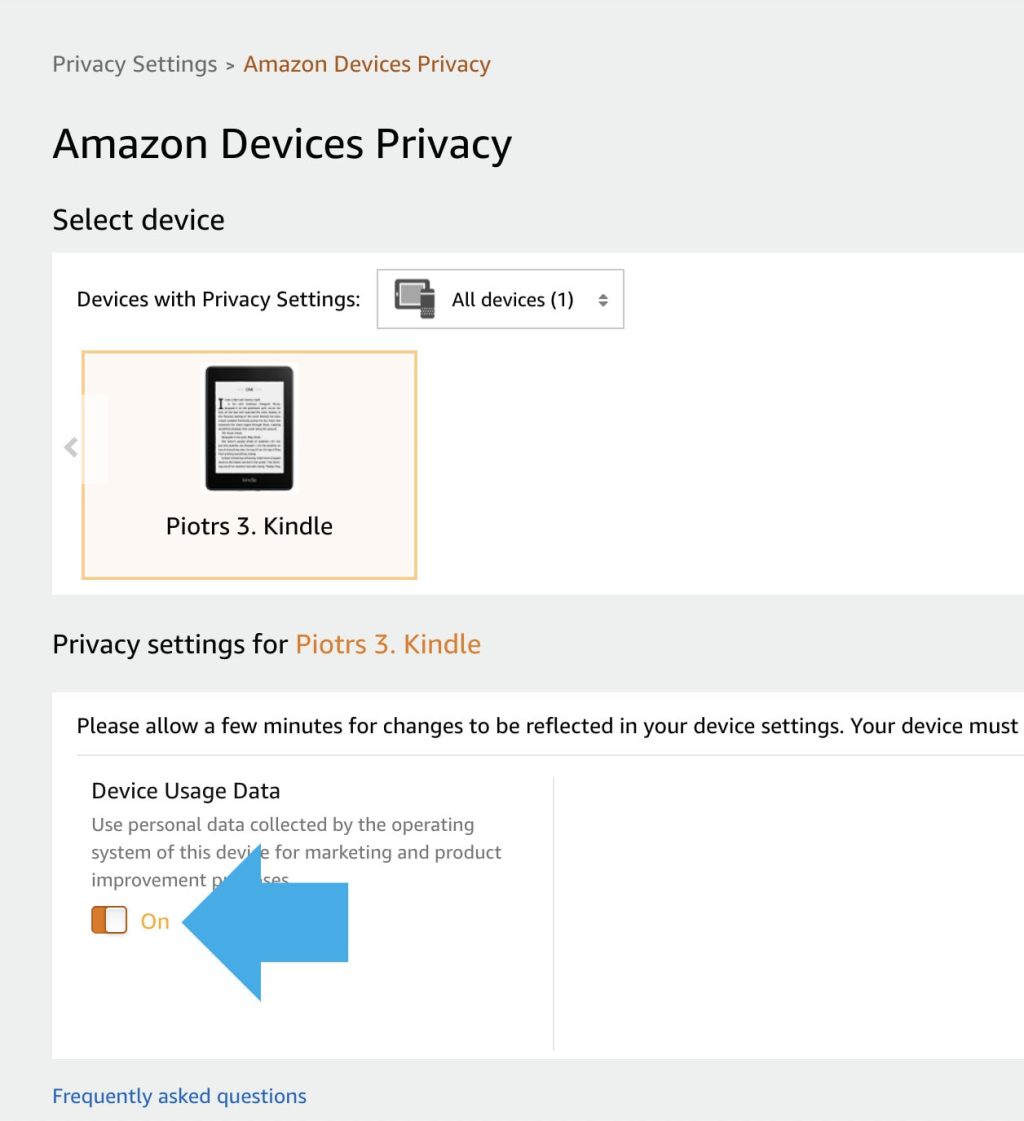
How to stop Amazon from using your Kindle activity for marketing purposes
1. On Amazon website, go to Your Content and Devices » Privacy Settings » Amazon Devices Privacy.2. Select the device, and toggle Device Usage Data button at the bottom. Problem Using digital content has one major disadvantage: all the benefits are delivered at the cost of your privacy. Digital content providers, including ebook and audiobook…
-
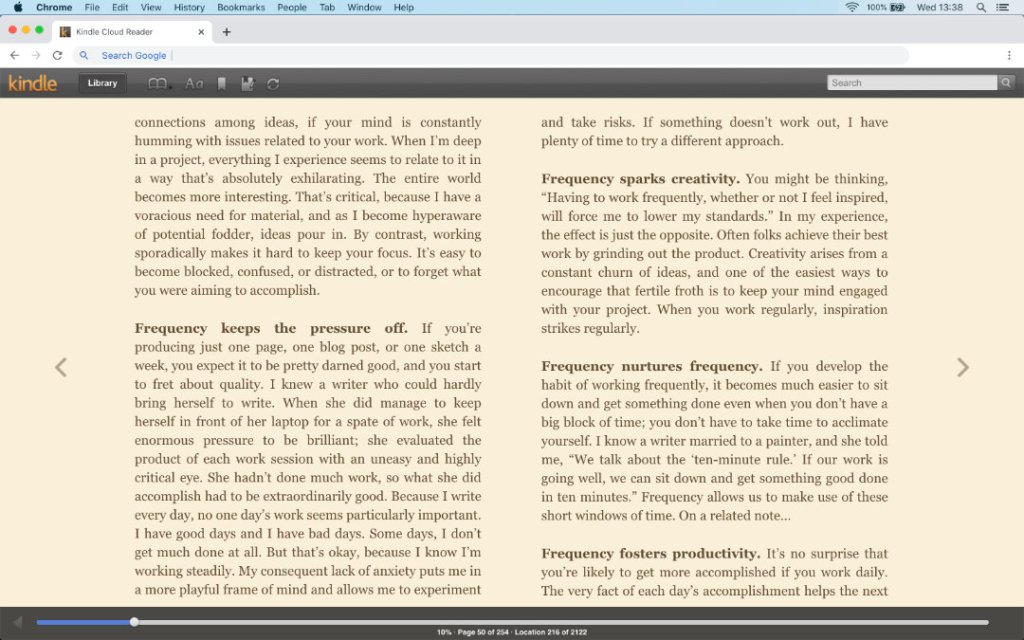
How to read Kindle Unlimited books on a Mac computer?
1. You don’t have to buy an e-reader or tablet to read Kindle Unlimited books. 2. All you have to do it open read.amazon.com page in an internet browser on your Mac. Kindle Unlimited is Amazon’s popular subscription which gives access to over 1.5 million ebooks comic books, and magazines. Once you start your subscription,…
 Geek Updated