
Tag: How-to
-
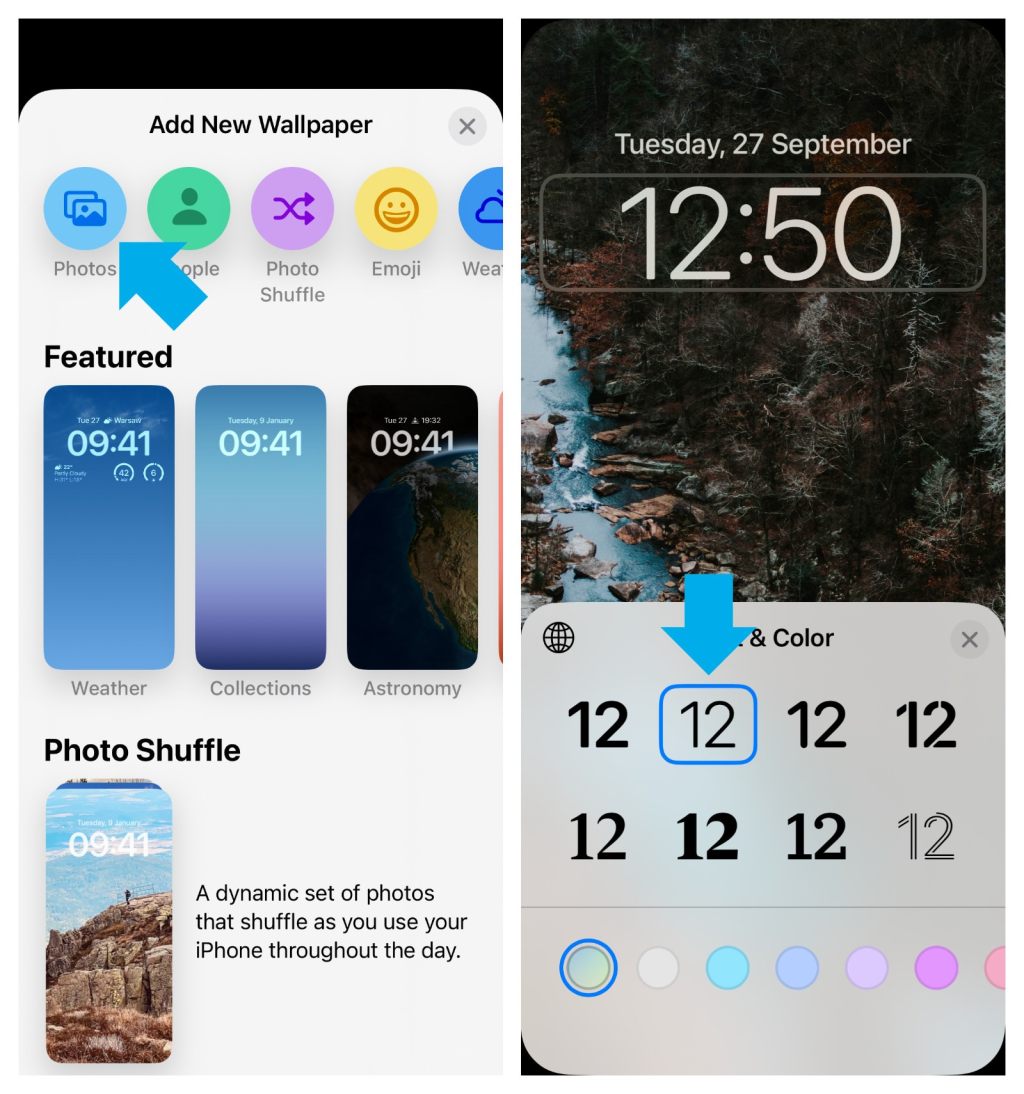
Can’t change the clock font in iOS 16? Here is a quick fix
∙ If you have used a custom image on the Lock Screen on your iPhone, you may not be able to immediately change the clock style in iOS 16. ∙ You will need to add a new Lock Screen and re-upload the custom image.
-
11 ideas and tips how to reuse your old Amazon Fire tablet
A security camera feed monitor, an offline movie player, a night clock, a kitchen radio – these are just a few ideas.
-

Prime Day iPad deals – buying tips and things to avoid
1. Don’t buy an iPad or iPad case during Prime Day. 2. Buy an iPad accessory. 3. There is a better approach for getting an iPad and iPad gear on Amazon.
-

How to read bionic books on iPad and iPhone
Bionic books are just regular ebook files with a special formatting. You can read them right now with any book-reading app on your iPad and iPhone.
-

Here are 10 free bionic books for your e-reader or book app
These bionic-formatted books from Project Gutenberg are ready to be added to your e-reader or book-reading app.
-

Bionic reading on Android – how to add own books
Don’t wait for bionic-enabled Android apps. You can start bionic reading right away by adding a specially formatted book to your current book app.
-
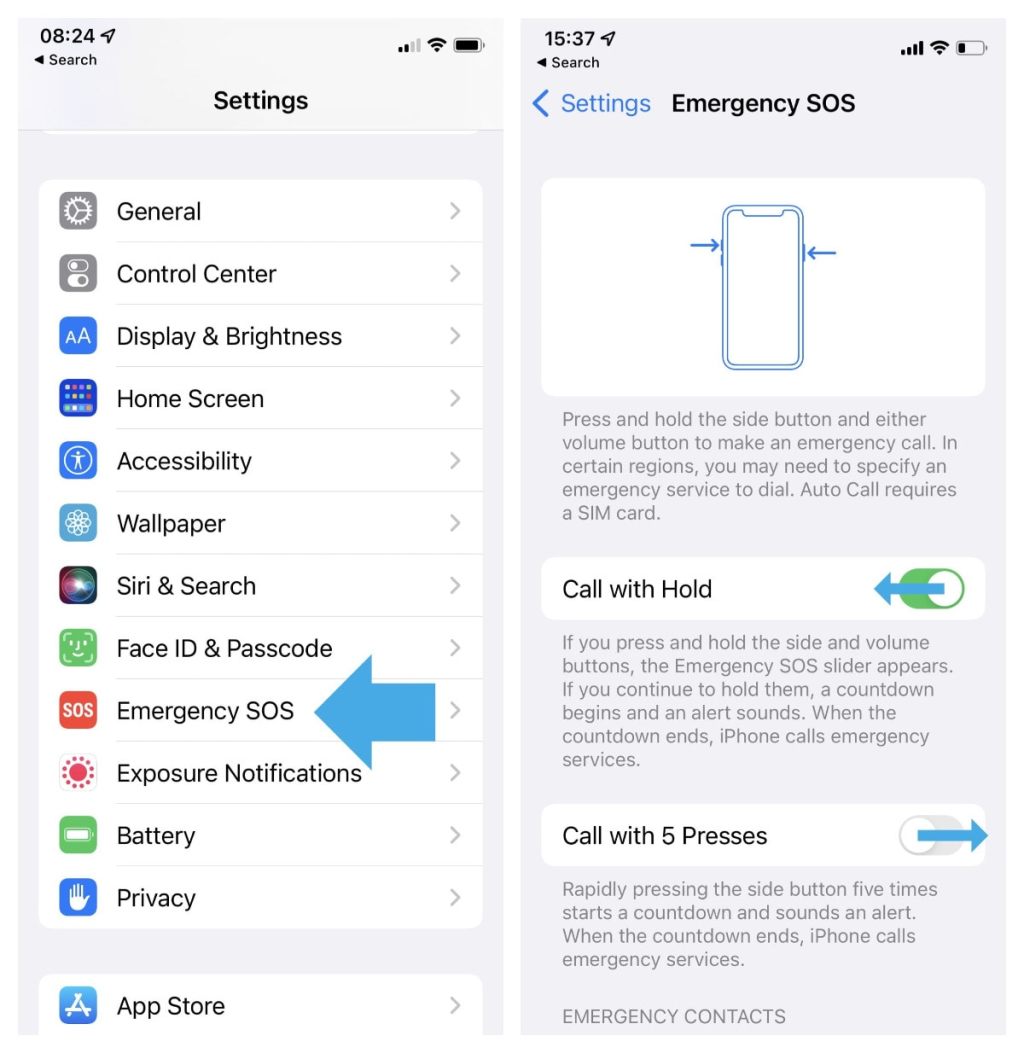
Why you should not deactivate emergency calling on your iPhone
∙ Emergency SOS calling is enabled on an iPhone by default. ∙ Many users trigger it accidentally. ∙ Instead of deactivating this feature, use a less confusing option.
-

MacBook Pro 2021: how to turn off keyboard backlight automatically
You don’t have to manually adjust keyboard brightness on your 2021 MacBook Pro. The backlight can automatically turn off when you don’t use the keyboard for 5 seconds.
-
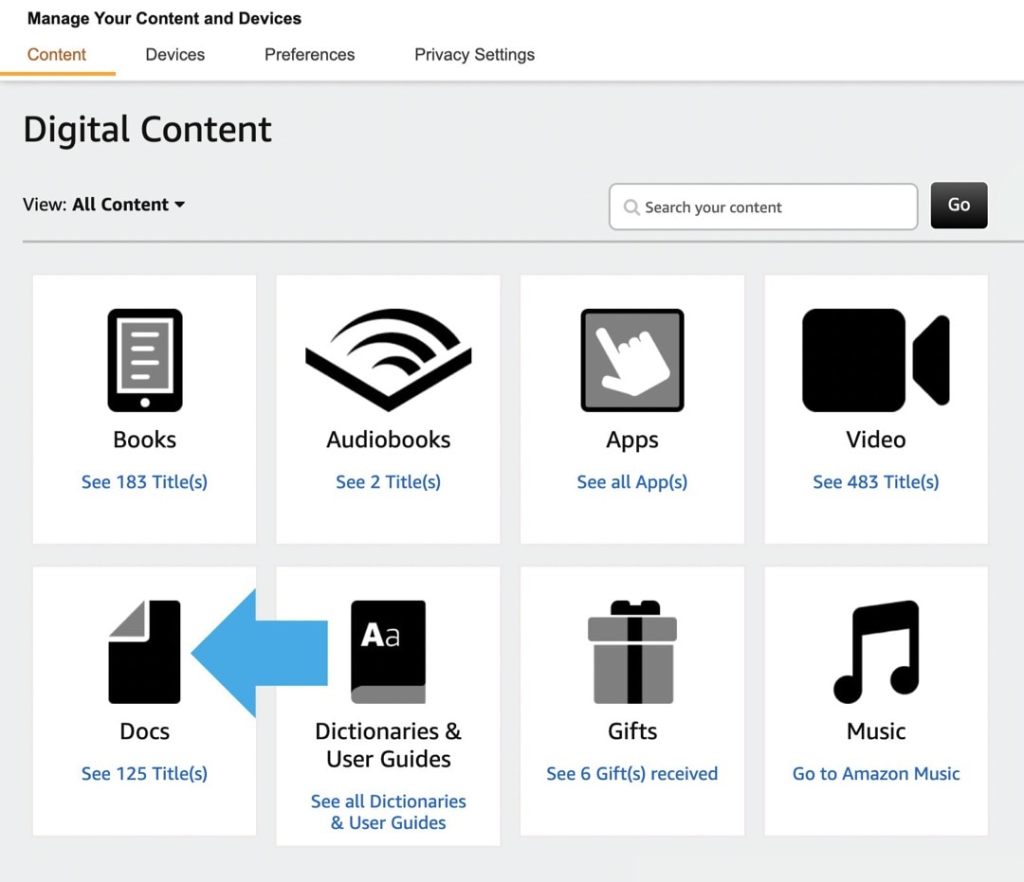
Where are my sideloaded books on Kindle?
The books you have added yourself to your Kindle library are now called “Docs,” and are separated from the ones you have downloaded from the Kindle Store.
-

Google Docs dark mode on the web: a 2-step trick to set it without an extension
∙ Dark mode is still not available in Google Docs on the web. ∙ Thanks to Pageless mode, you can set up the dark colors manually in two short steps.
-
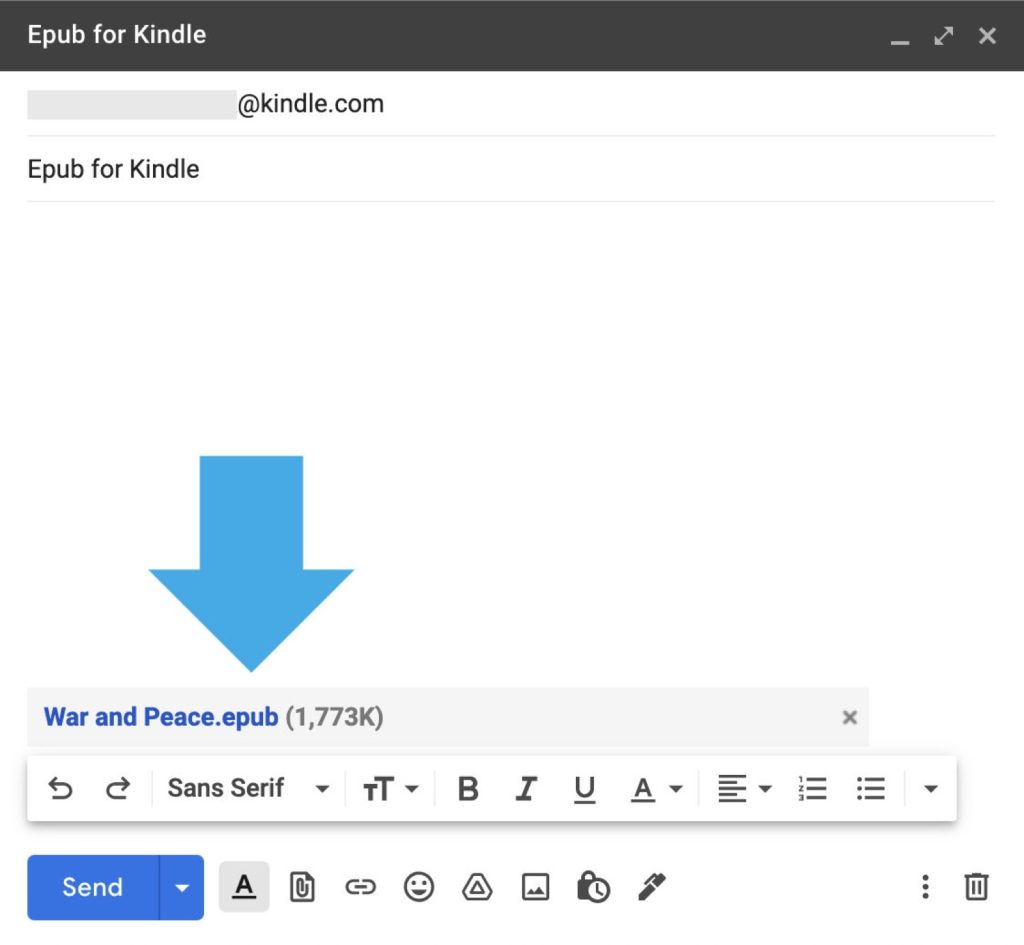
How to add epub files to your Kindle or Kindle app
∙ Just attach your epub file to an email and send it to the address associated with your Kindle. ∙ The file will be processed and appear in your Kindle cloud library and a destination device or app.
-
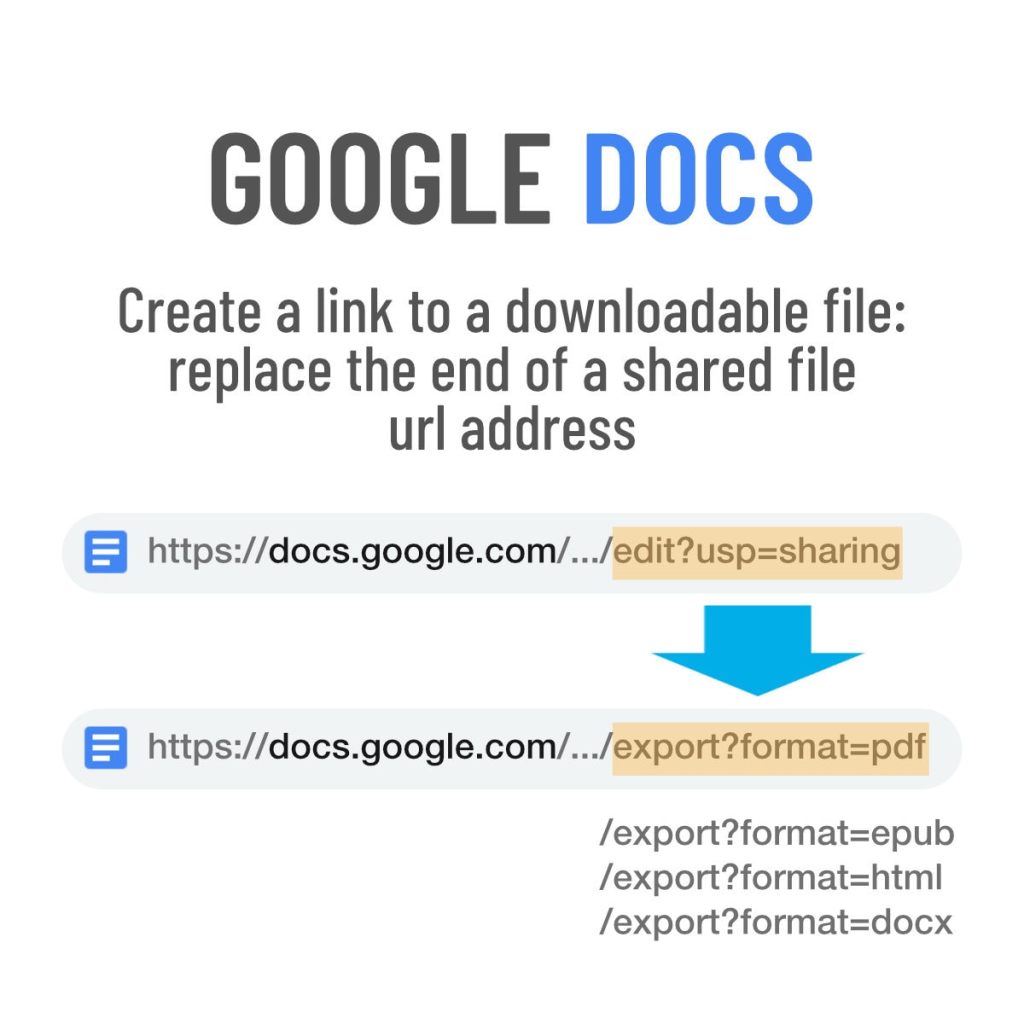
Google Docs: a quick trick to create downloadable files
Copy a share link of the original Google Docs document, and modify its url address to create a downloadable file.
 Geek Updated