
Tag: Google
-
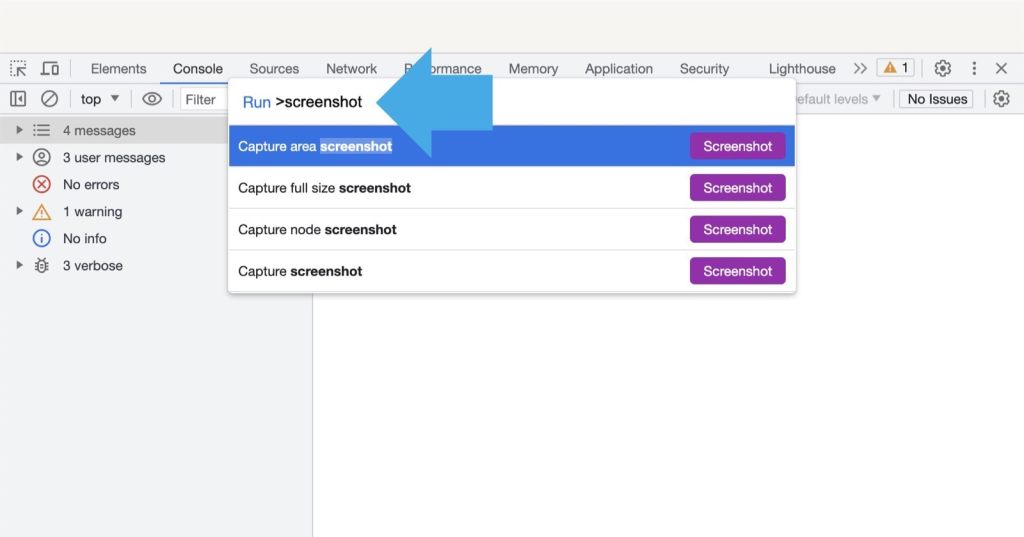
How to take screenshots in Google Chrome (including full page)
Use two keyboard shortcuts, type “screenshot” in the panel, and choose the screenshot type you want to use.
-

Don’t get too excited about Google Keep’s version history
For now, Google Keep version history is flawed. You will be only able to download a text file with an earlier version. Also, the feature only applies to text.
-
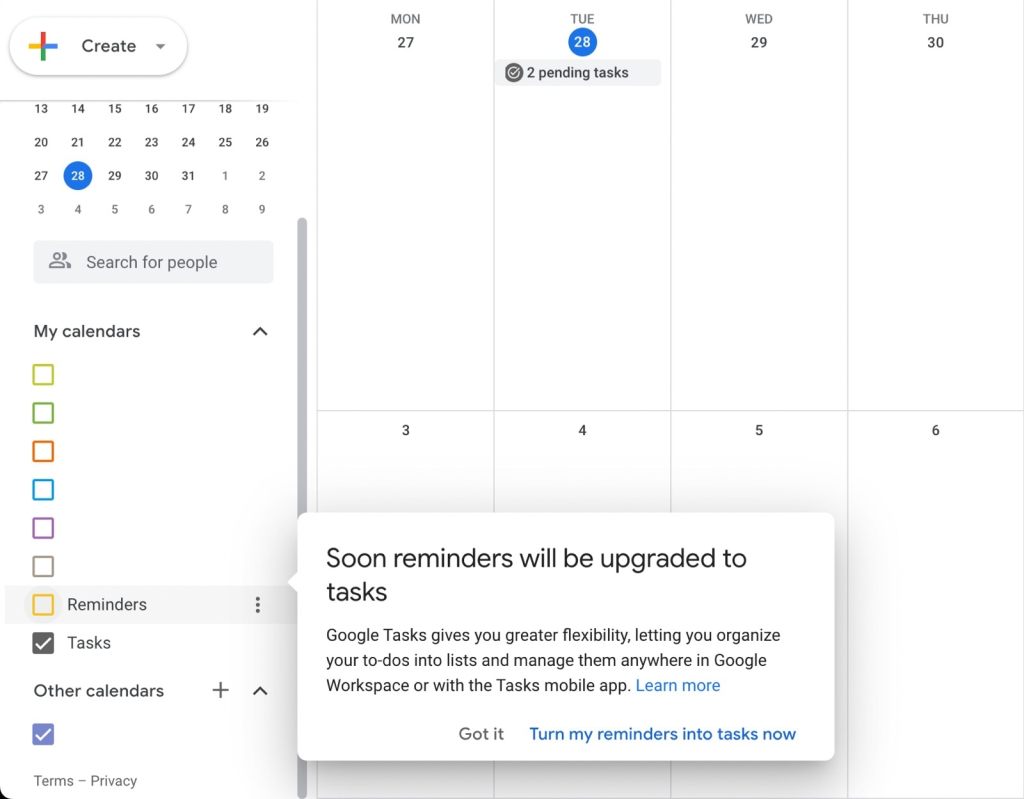
Turning Google Calendar reminders into tasks – how to avoid losing notifications
Google is now turning Calendar reminders into tasks. Learn about essential changes and make sure to keep your notifications.
-

How to identify a song on the iPhone and open it directly in the Spotify app
Don’t use Shazam to identify songs for your Spotify iPhone app. Google apps let you open recognized songs much easier.
-

How to make LanguageTool visible in Google Docs Pageless Mode
By enabling the outline view, you will bring back the LanguageTool check button.
-

Google Keep browser extension will no longer save articles automatically
You will have to hit the Save button to save an url to Google Keep. Moreover, you won’t be able to edit your notes in the extension’s pop-up window.
-

Bionic reading on Android – how to add own books
Don’t wait for bionic-enabled Android apps. You can start bionic reading right away by adding a specially formatted book to your current book app.
-

Google Docs dark mode on the web: a 2-step trick to set it without an extension
∙ Dark mode is still not available in Google Docs on the web. ∙ Thanks to Pageless mode, you can set up the dark colors manually in two short steps.
-
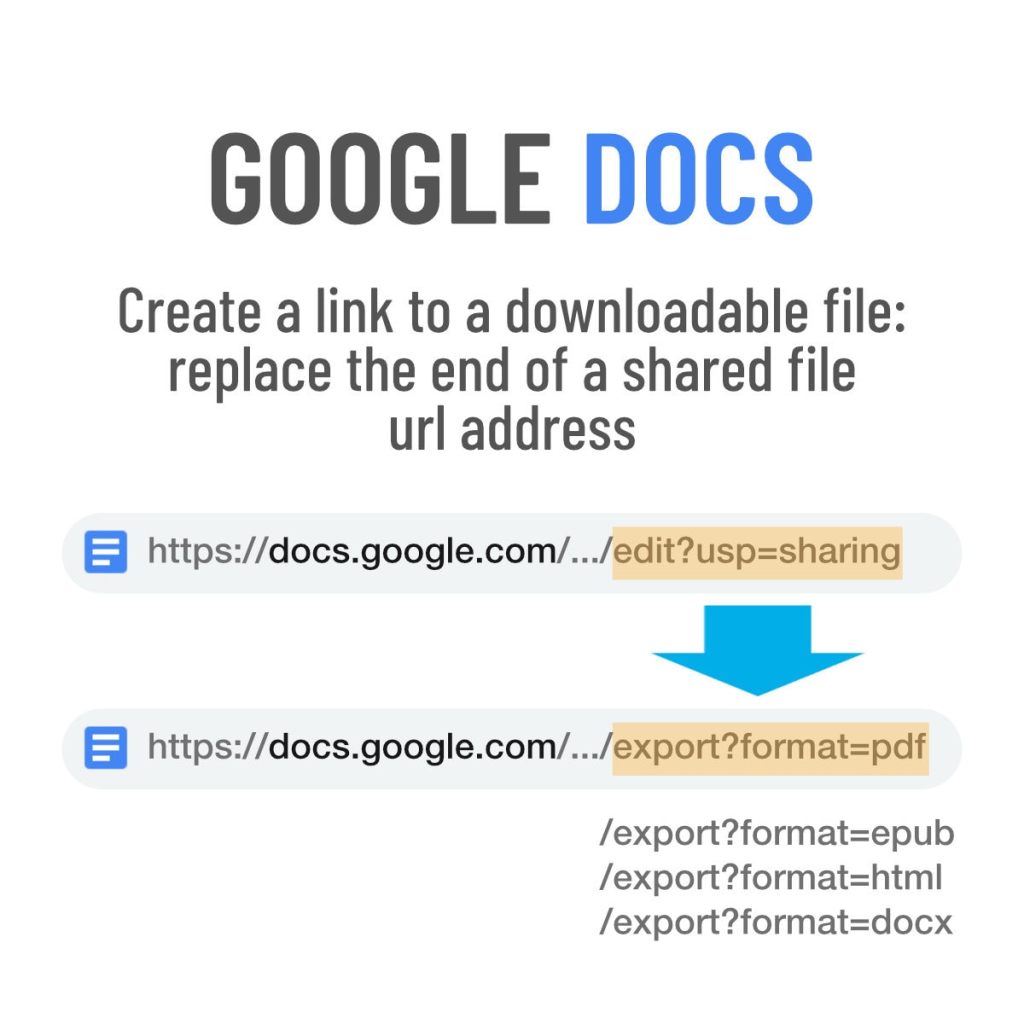
Google Docs: a quick trick to create downloadable files
Copy a share link of the original Google Docs document, and modify its url address to create a downloadable file.
-

Google Tasks vs. Keep – comparison and tips to use
∙ Use Google Tasks for quick, time sensitive reminders. ∙ Use Keep for the rest of your tasks, reminders, and to-do lists.
-
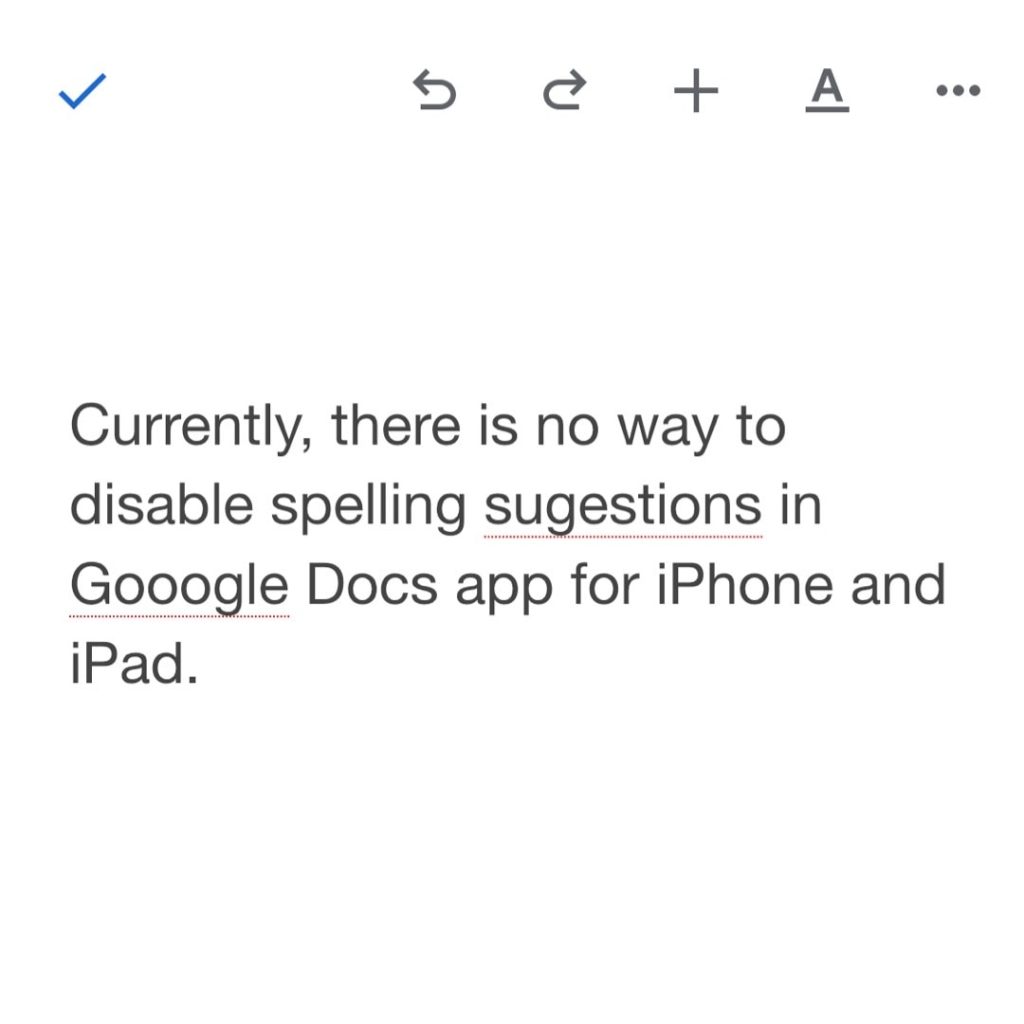
Want to disable spell check in Google Docs iOS app? Read this
∙ Currently, there is no way to disable spell check in Google Docs app for iPhone or iPad. ∙ None of the tips available online are working. ∙ You can send feedback and wait for the app’s update.
-

How to enable Google Docs pageless mode
1. Go to “File” in the top menu, then select “Page setup.” 2. Select “Pageless” tab at the top right of the dialog window. 3. Click on the “Select as default” button for new documents to open in a pageless mode.
 Geek Updated