
Google Keep is rolling out a long-overdue feature: a version history of individual notes. It will let you see previous versions of your notes.
To get a version history of a single note, open the note and:
▸ In the bottom toolbar, click the three-dot icon and then select “Version history”.
▸ Pick up a version you want to go back to, and then click “Download”.
If the version history hasn’t been enabled in your Google Keep, you will see the line “Version history – Coming soon”.
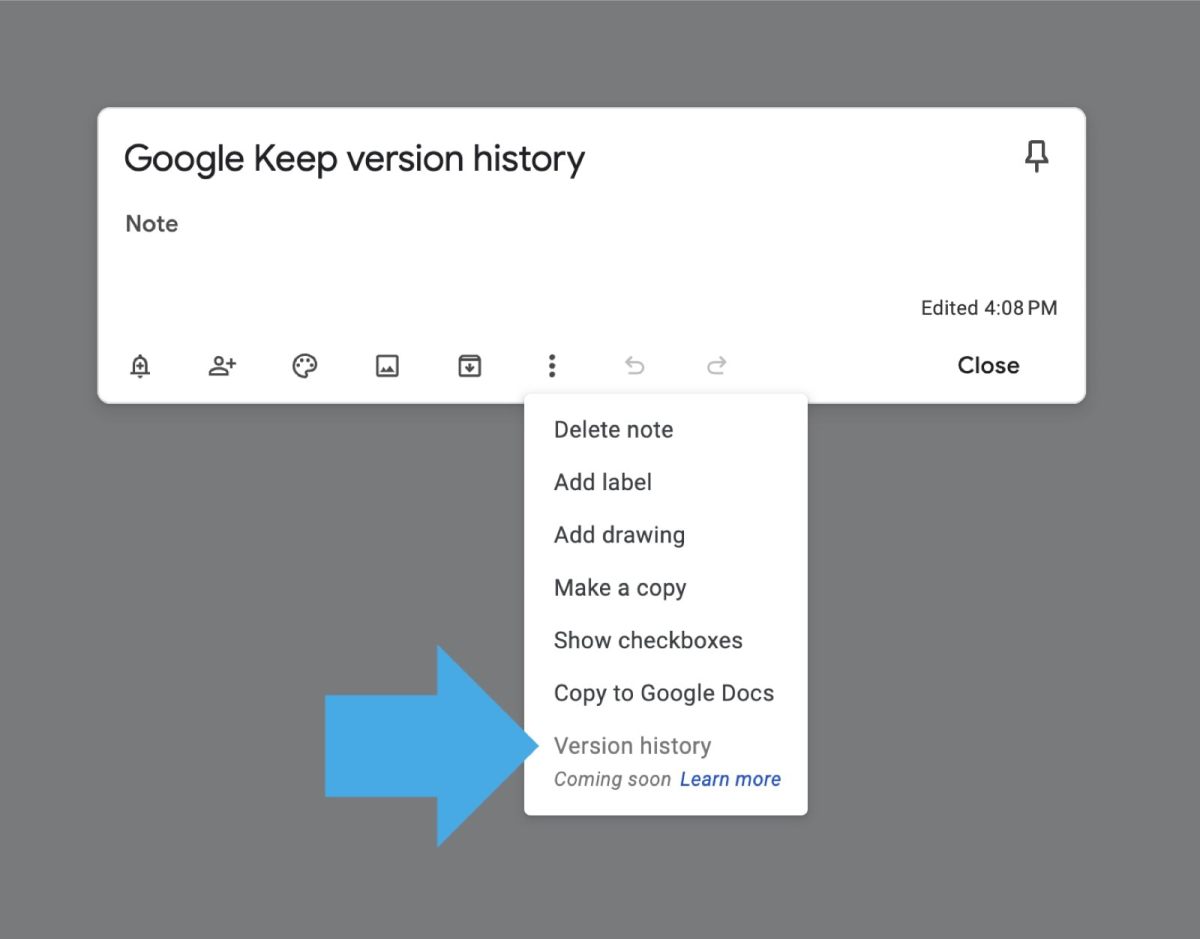
“Download” I said? Yes. It’s not a joke. Google Keep won’t allow you to revert to an earlier version of the note instantly. It downloads a text file (sic!) to your computer, and you will have to open it to see the content.
What’s more, the version history only applies to the text. So you won’t be able to revert to an earlier version of an image note, for instance. I also don’t know how the version history will work in checklists.
I hope this flawed new feature will be fixed soon.
Read the Google help page for the Keep version history.
• • •
Keep reading. Here are other tips and lists:
- These iPhone camo cases feature uncommon patterns, and come with textures for a more organic look. Great for military enthusiasts, […]
- Take a look at a handy infographic that lists the most famous artificial intelligence instances in pop culture.
- Take a look at tech quotes by Pablo Picasso, Douglas Adams, Stewart Brand, and Northrop Frye that are visualized on […]
- Are you looking for an iPhone case that you could personalize? Most items on the list are compatible with the […]
If you don’t want to miss future updates, make sure to enable email notifications in the comment box below. We are also waiting for you on WordPress Reader, Mastodon, Tumblr, and Facebook. You can also add us to your RSS feed.
If you buy an item via this post, we may get a small affiliate fee (details). We only use the cookies that are necessary to run this site properly (details).






 Geek Updated
Leave a Reply