

The mouse is compatible with all iPad models running iPadOS 13 or later operating system.
Do you want your iPad to behave like a fully fledged desktop computer?
You can equip it not only with a wireless keyboard with touchpad but also a handy mouse. The only condition is that your iPad runs on at least iPadOS 13.
Our pick for you is a thin and lightweight mouse from Omoton.
▸ It’s one of the most favorited iPad accessories on Amazon.
▸ The mouse offers triple-mode wireless connection (Bluetooth 3.0 / 5.0 + 2.4GHz), giving you more choices when pairing with your devices.
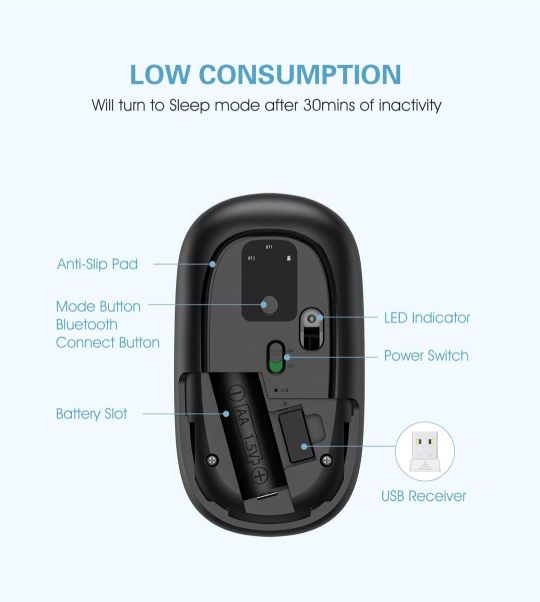
▸ You don’t need to recharge it. The mouse works on one AA battery.
▸ The mouse offers three DPI levels (1000, 1600 and 2400) to meet all your needs, no matter whether you work or play a game.
▸ The mouse automatically enters the sleep mode after 30 minutes of inactivity.
▸ Quiet clicks let you focus on your work without distracting people who are around you.
▸ There are three colors to choose from: Silver, Black, and Gray.
▸ The mouse is compatible with iPad 10.2, iPad Air 10.9, and iPad Pro 11 and 12.9.
▸ The box includes: 1 × Omoton wireless mouse, 1 × USB receiver, 1 × quick user manual.
Are you looking for ways to enhance your iPad? Make sure to explore the best iPad accessories to get in 2021.
• • •
Keep exploring. Here are other tips and how-to posts:
[gu-archive number=5 tag=”tips”]







 Geek Updated
Leave a Reply